Ardvrk's
Audio To Avatar
Realtime Prototype
Overview
In the previous, forward compatible version, this prototype uses our clouded api to convert audio files into avatar animations. Historical data is generated by recording audio of transcripts, along with iphone scanned facial expressions called blend shapes. Audio and transcript are converted into time coded phoneme lists, synced with blend shapes. These session files animate avatars, along with the audio. Audio and transcript are processed by our clouded api, returning session files to animate avatars.Realtime Audio To Avatar
This prototype takes things a step further. For realtime results, an on-board neural network is used. (Unity 2019.4.22f1 and Unity 2020.3.30f1) Microphone audio is converted to spectrum data (FFT). Then the 256 neuron neural network determines which of the 90+ phonemes is being recognized. The associated blend shapes are used to animate the current avatar. Background noise is dampened, and smoothing is applied. This prototype is in its early phase.Overview Neural Network
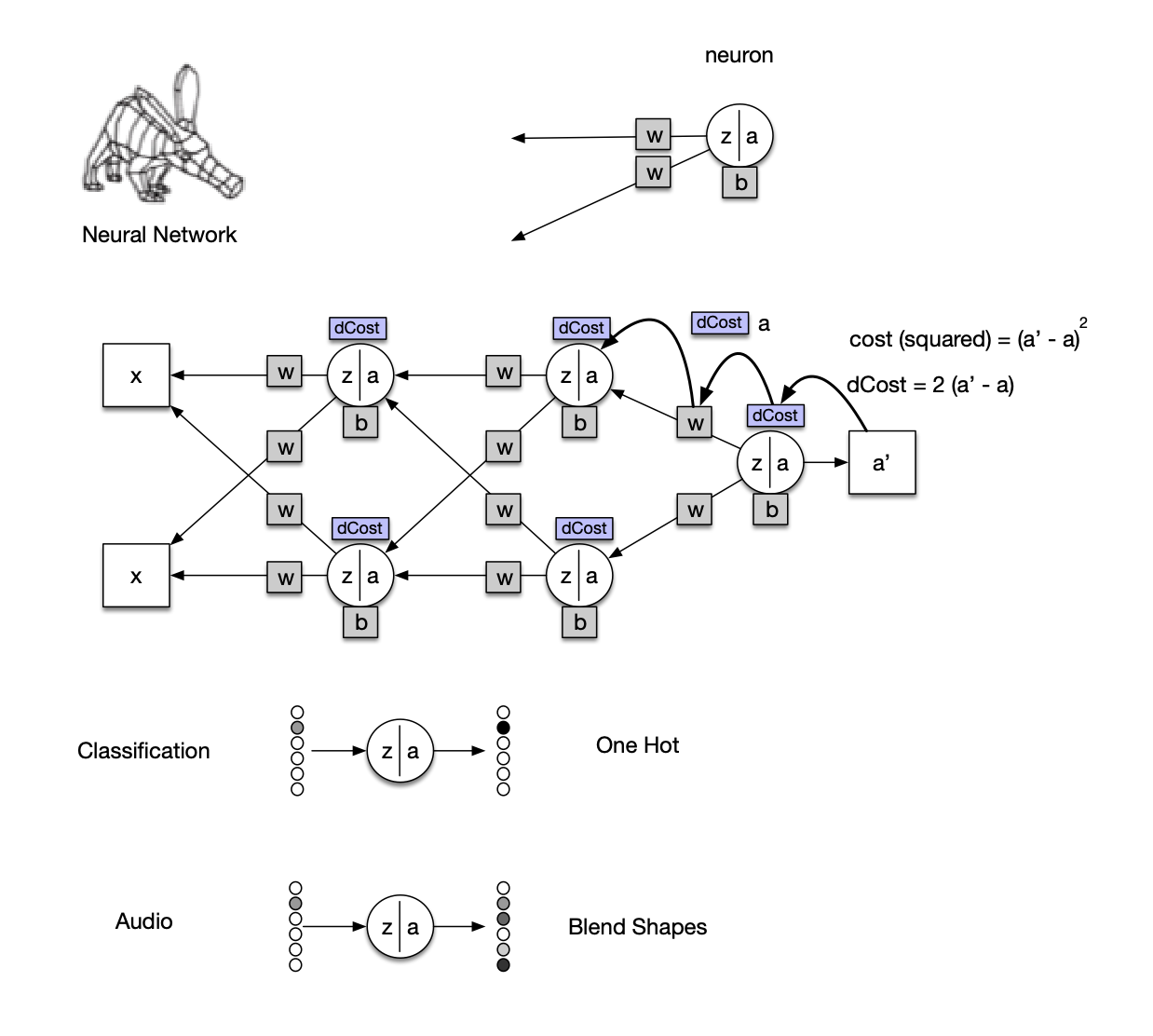
Here is a simple visual description of the neural network's task.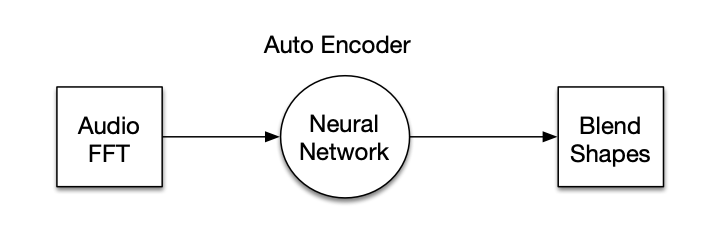
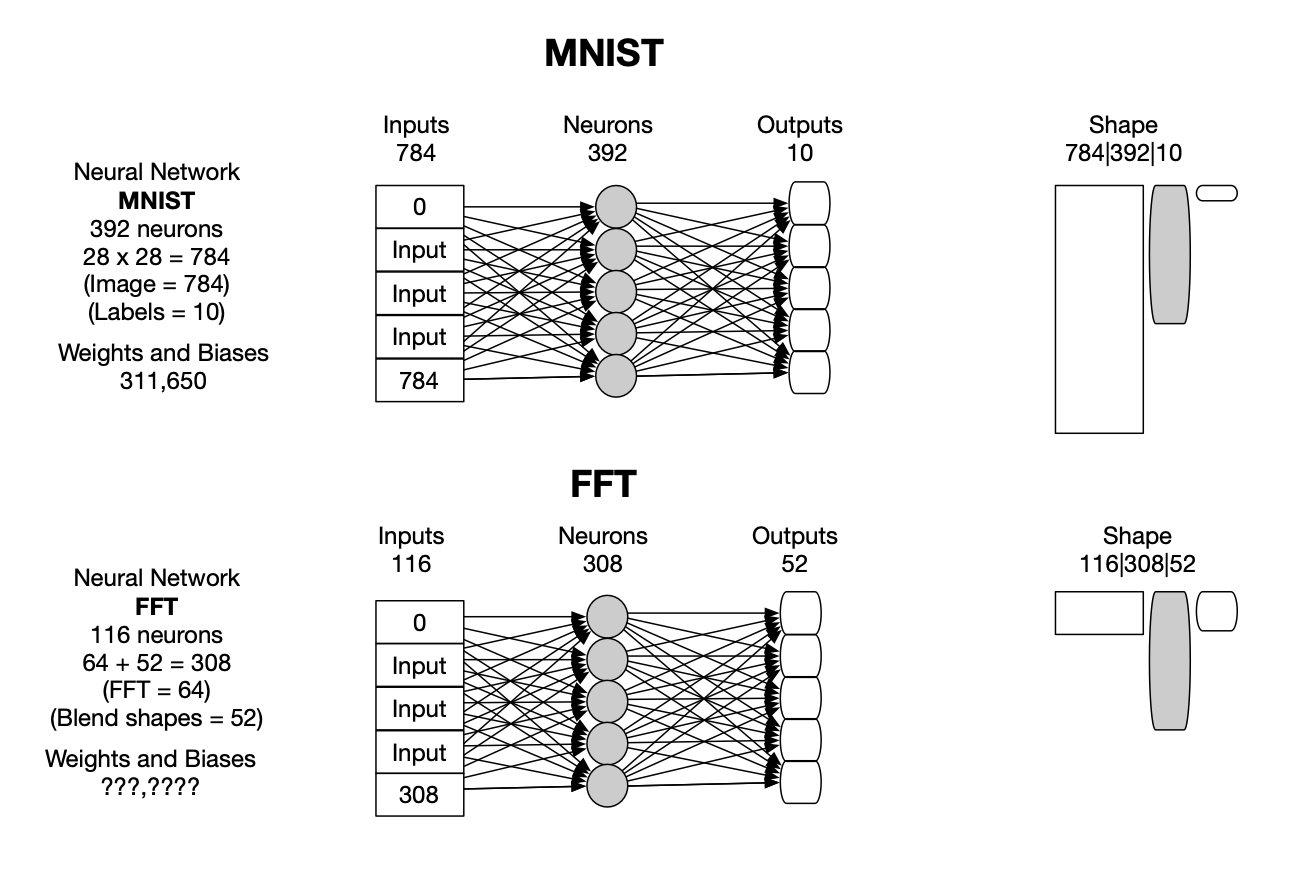
We developed a simple classification neural network, in C#, to run in our mobile app. The MNIST data sets (recognizing hand written digits 0-9) are used for testing and validation.
Steps:
Currently, we are using one hidden layer with 256 neurons, 16 input layer neurons, and 93 output layer neurons (one hot).
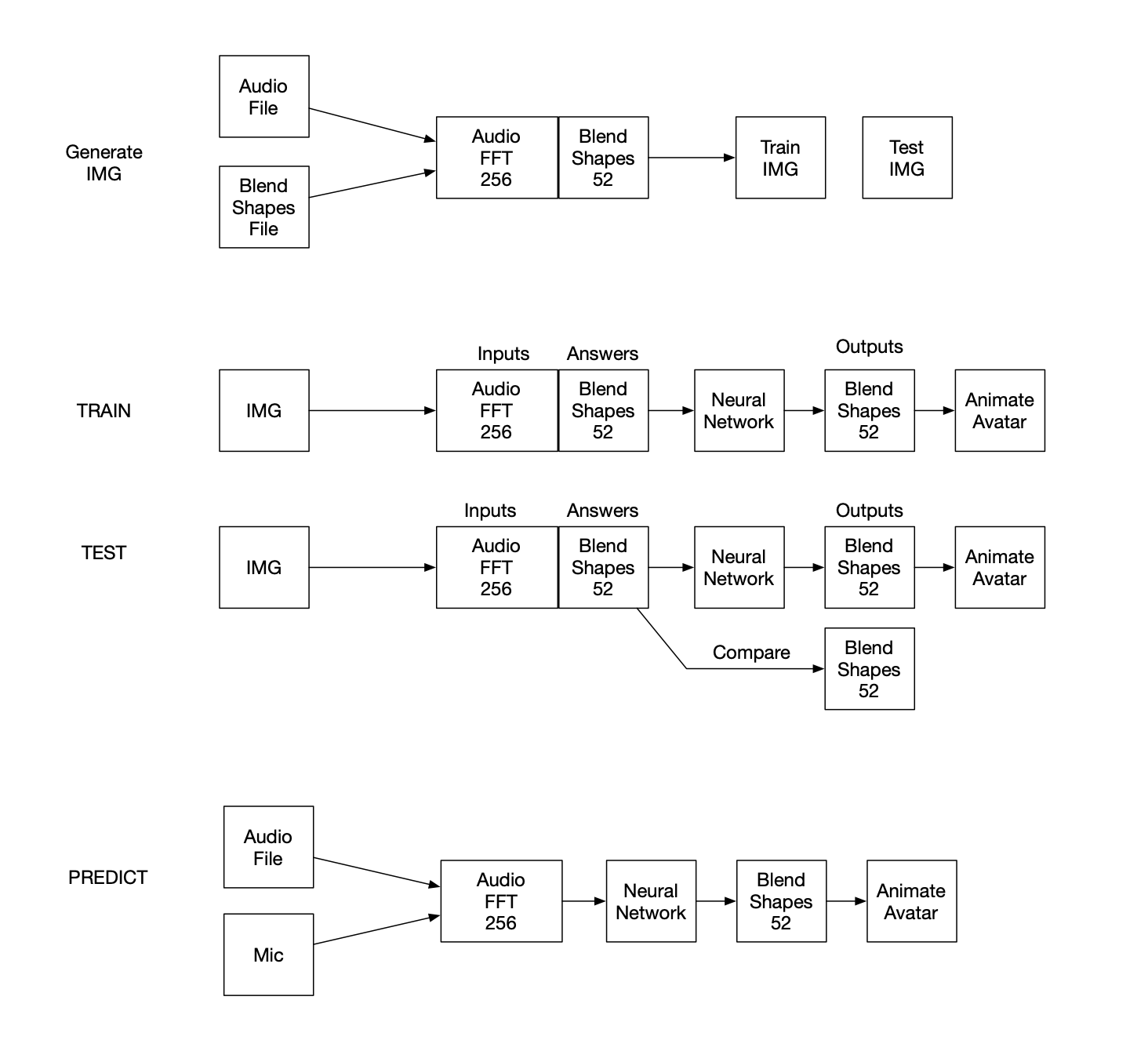
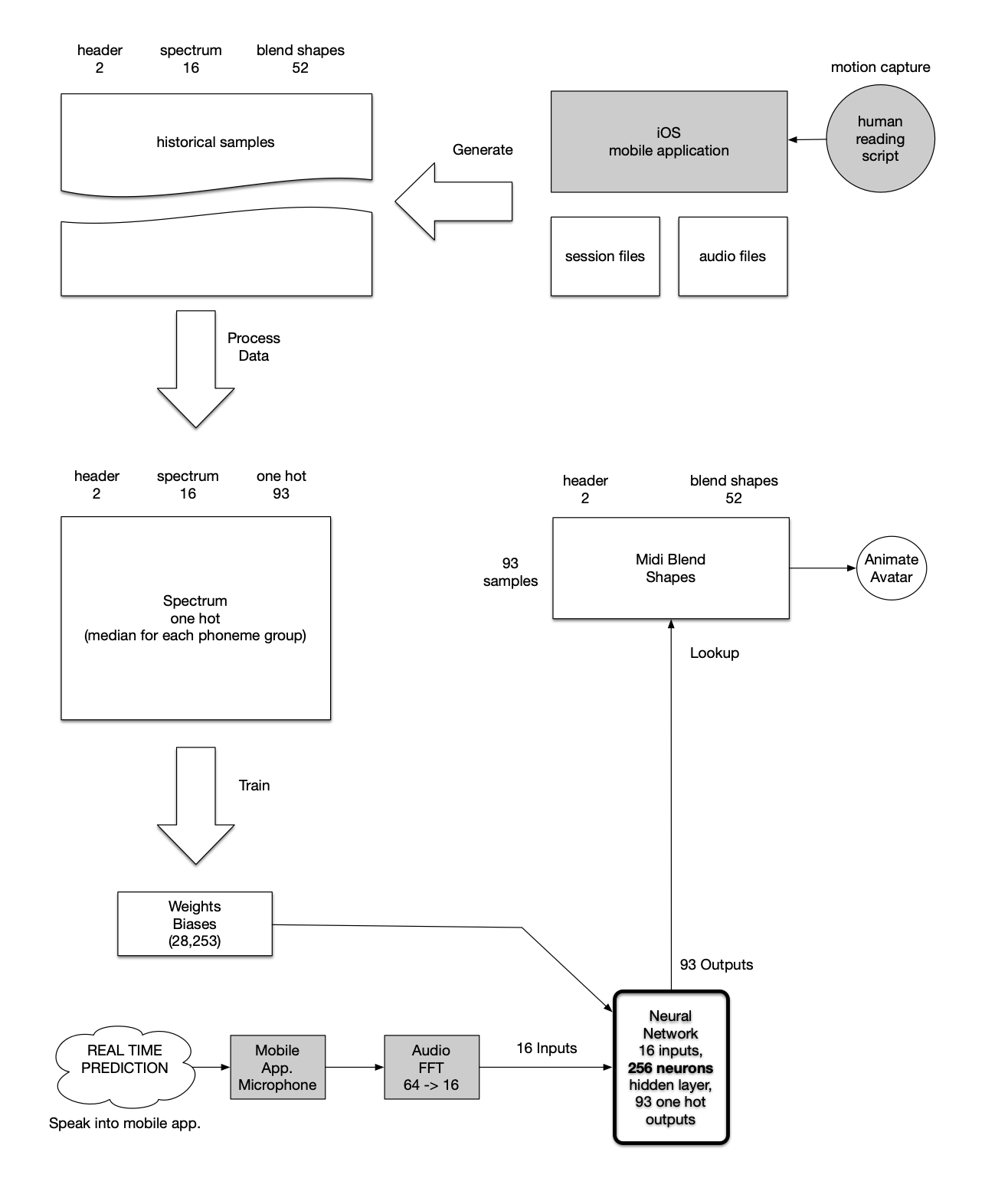
The neural network flow diagram shows how a person with an iphone X+ can motion capture facial expressions as blend shapes, and audio to start the process. Seven pairs of audio and blend shape files are selected from the motion capture data in the first prototype. See training data

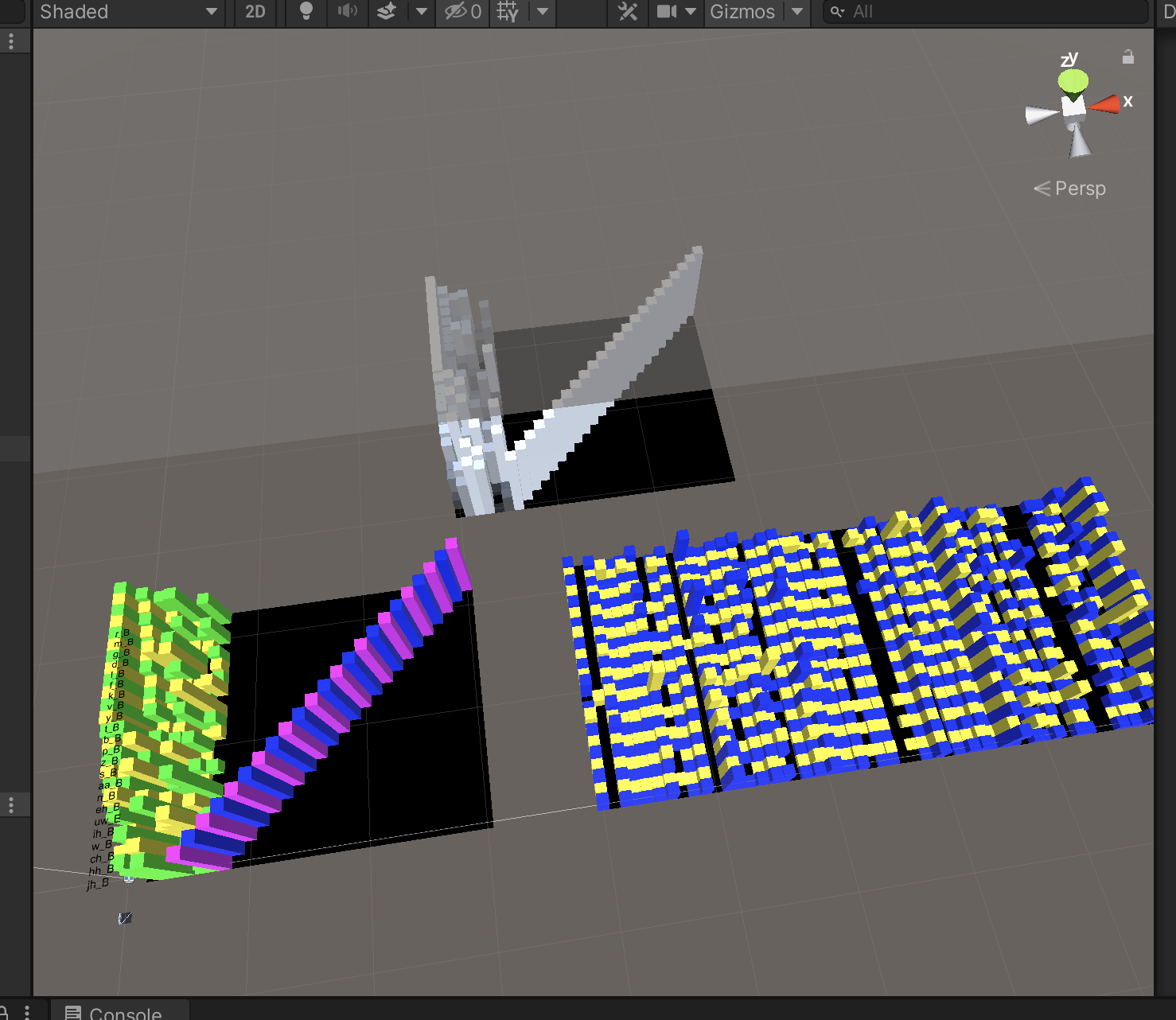
The transcript and audio are converted into time-coded phoneme lists, which are time-synced with the audio frequency data as well as the blend shapes. The combined historical training data is combined and sorted by phoneme. Then the median of each group of phoneme samples is extracted, resulting in a list of 93 unique samples. Blend shape data is then extracted and replaced with a one hot sequences. The resulting spectrum one hot list is used to train the neural network. The network is trained when all of the samples can be self-recognized. The training is stopped as soon as 100% accuracy is reached, to avoid over-training. This takes around 25 minutes. During real-time use (mobile app), audio from the microphone is converted to frequency data (FFT), 16 values, then fed to the neural network. Here is the layout shape: inputs (16), hidden layer (256), outputs (93). The magenta is the over 28K links with weights and biases.
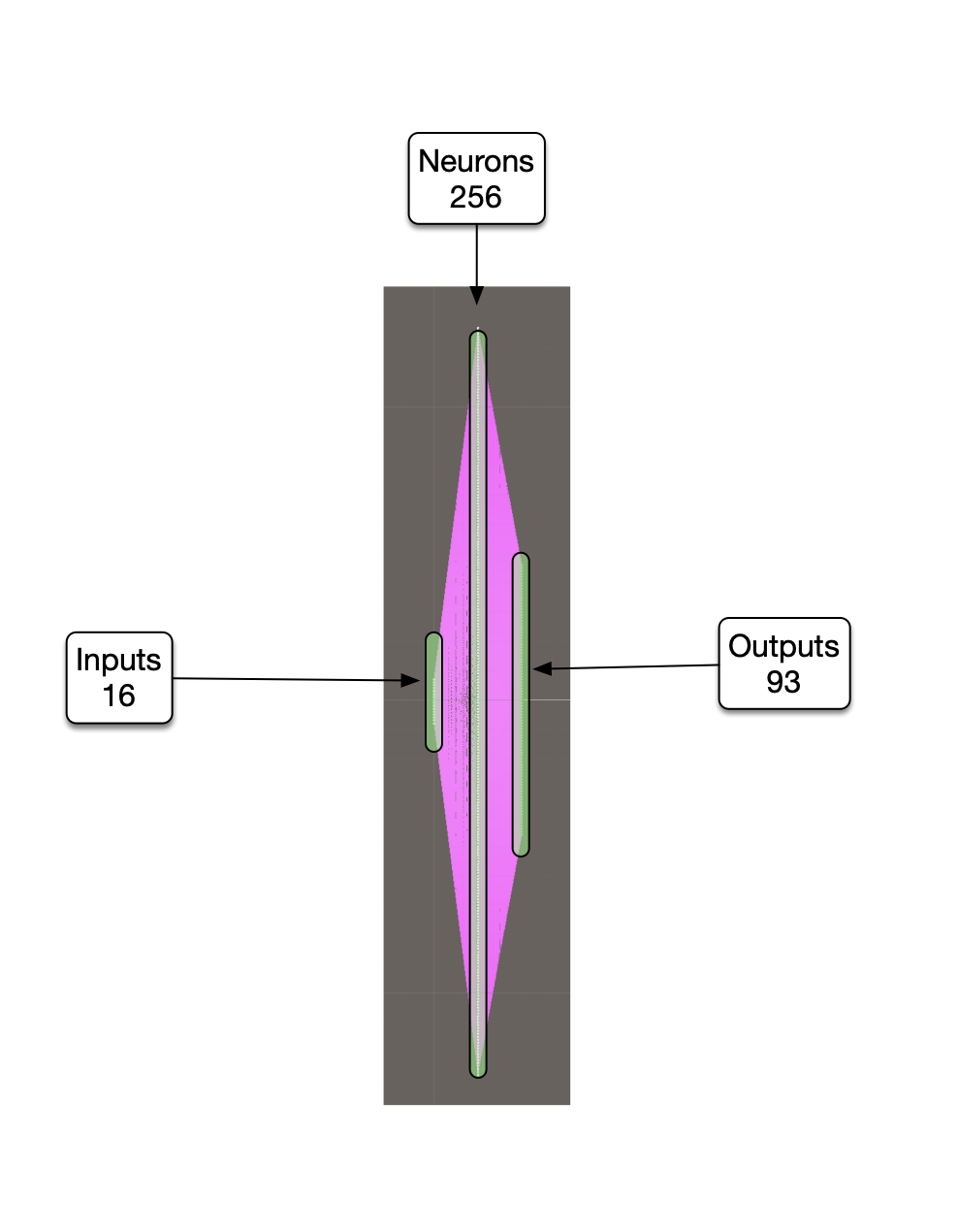
The output of the network is 93 values, one of which is 1, the rest are zeros (one hot). There are 28,253 weights and biases (adjustable parameters) and 256 neurons in the hidden layer. The round trip elapsed time for an on-board neural network call is around .3 ms, or 3Khz. No matrix multiplication is being used, presently. It's fast enough for the current task.
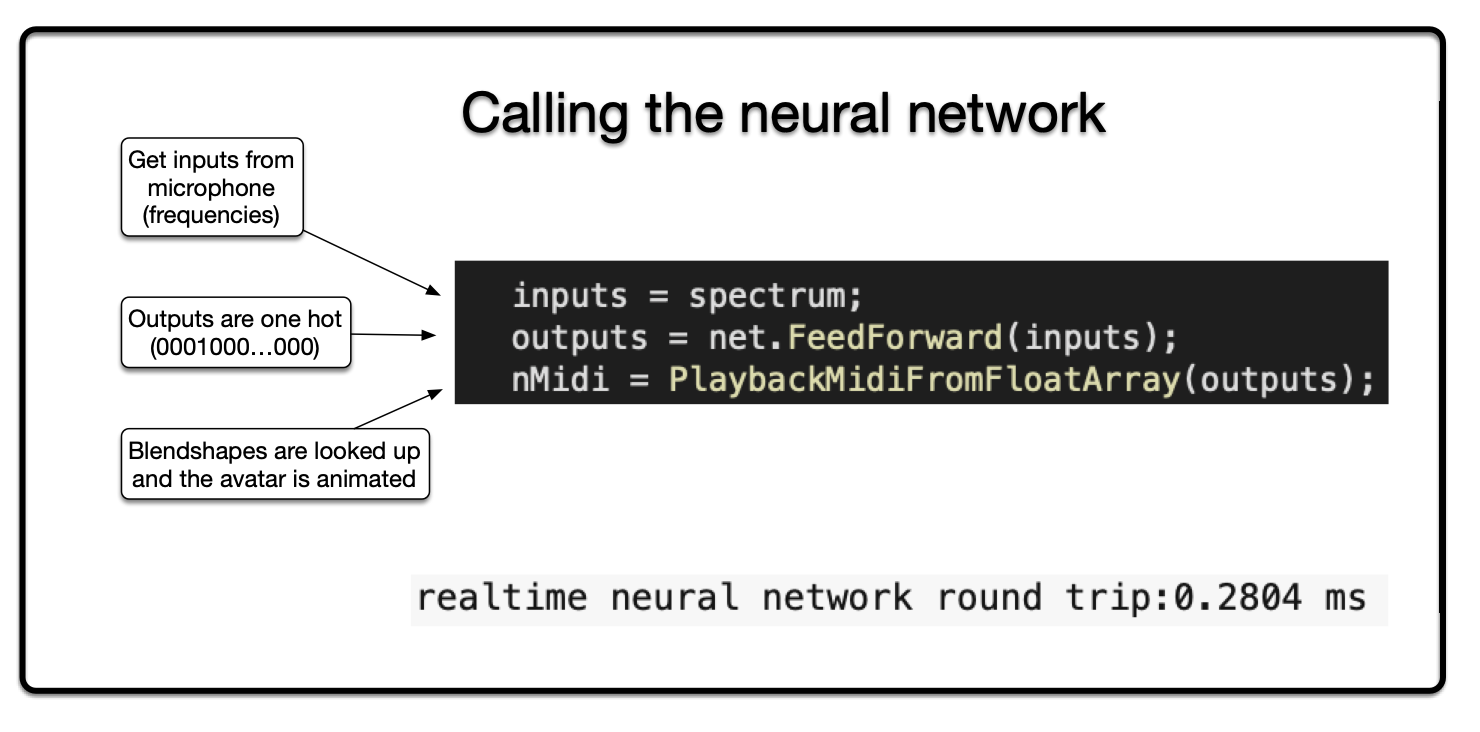
This choice is then looked up in the midi blend shape list to retrieve all the blend shape values. These values are then animated on the current avatar. The desired end result is to have the avatar animate what is being said, with a slight delay (latency).
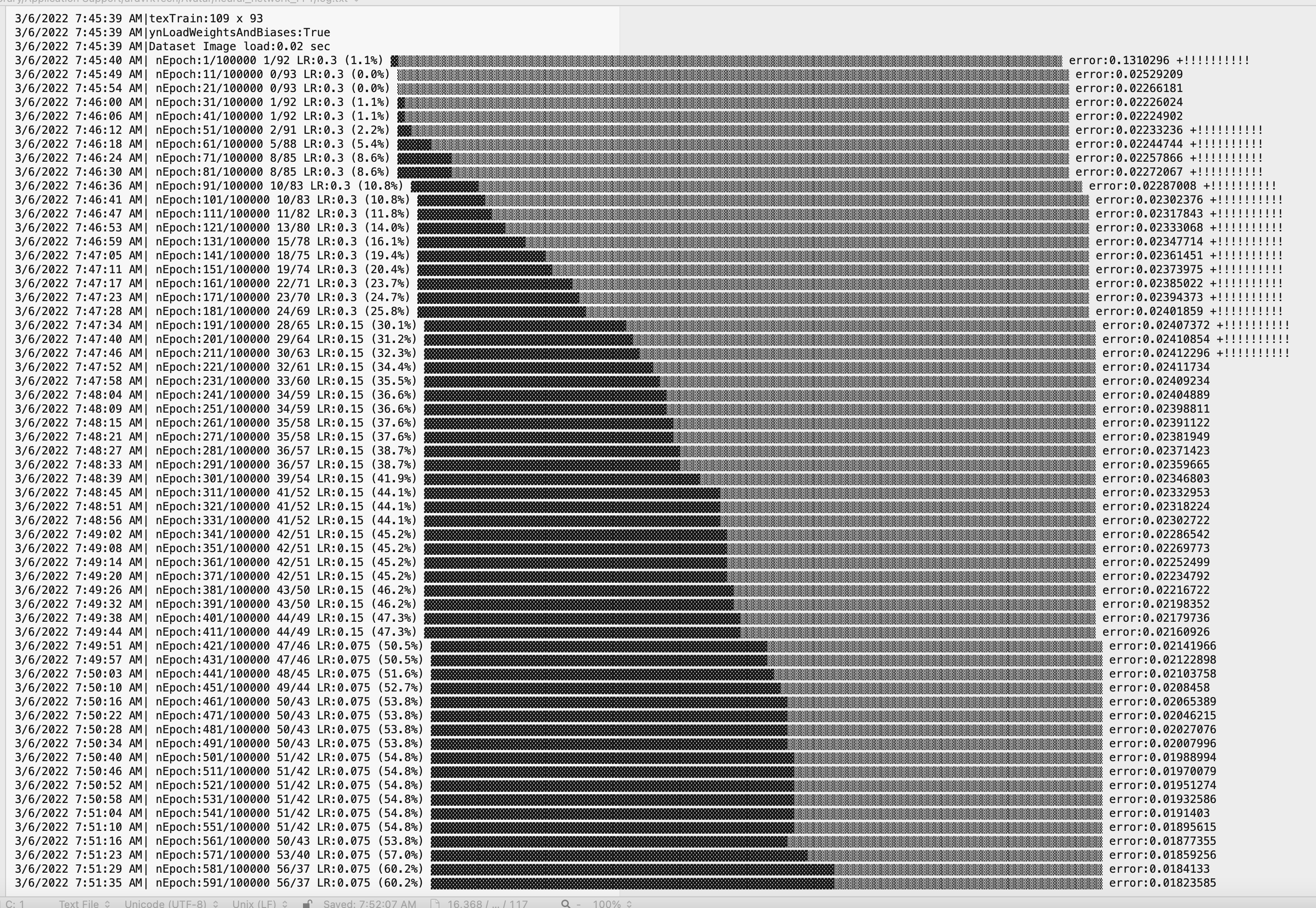
Here is the feedback during training (on a mac book pro). It takes around 2500 epochs to train the neural network to 100% accuracy. An epoch is when the neural network sees all samples, one at a time.
FFT Data Set
Frequency values are different when someone is speaking (left), versus background noise (right). This helps our auto silence detection, which keeps the avatar still during background noise.
FFT, or Fast Fourier Transform, generates frequency data from audio signals. This frequency data can be used to uniquely identify individual phonemes.
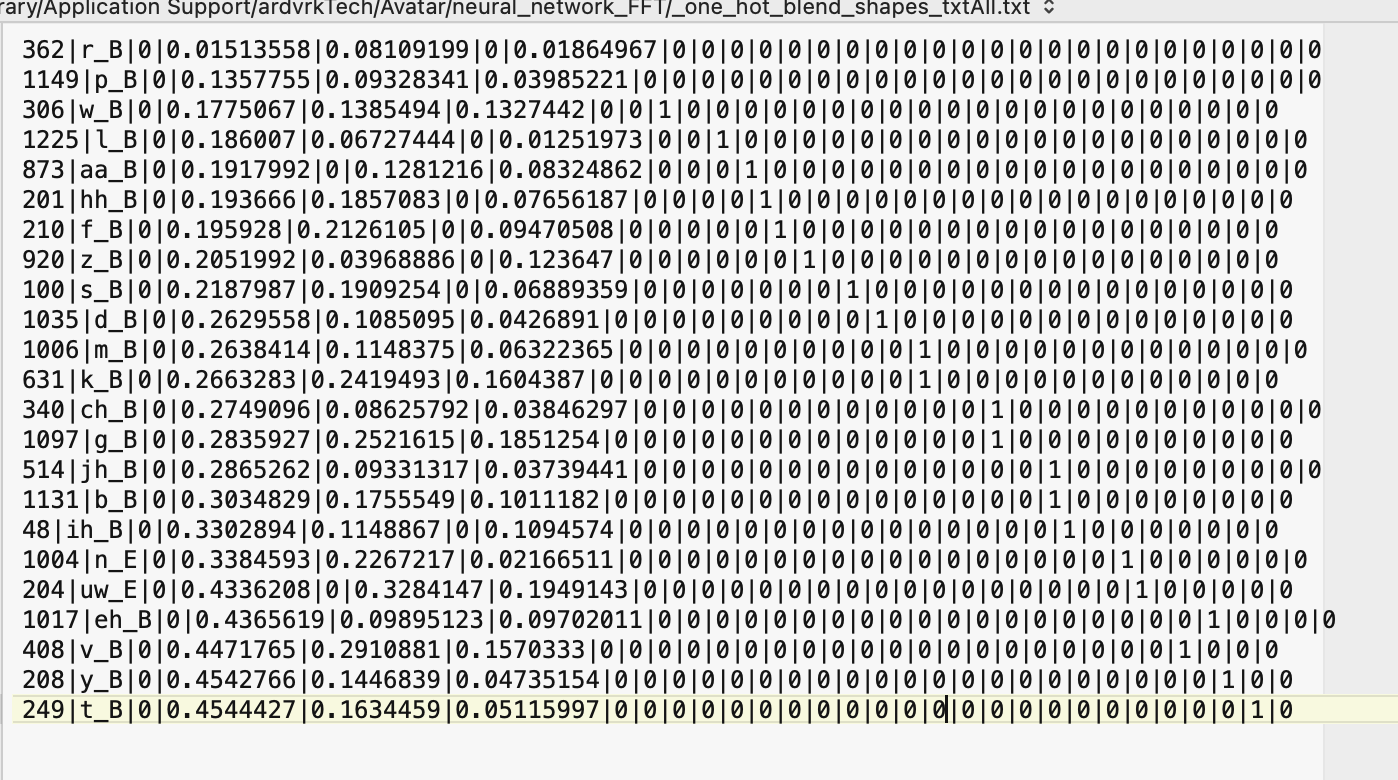
90+ phonemes (basic speech component) are assigned to each sample. Blend shape (facial expression data) is also assigned to each sample. Below is the id, phoneme, spectrum data, and one hot output.
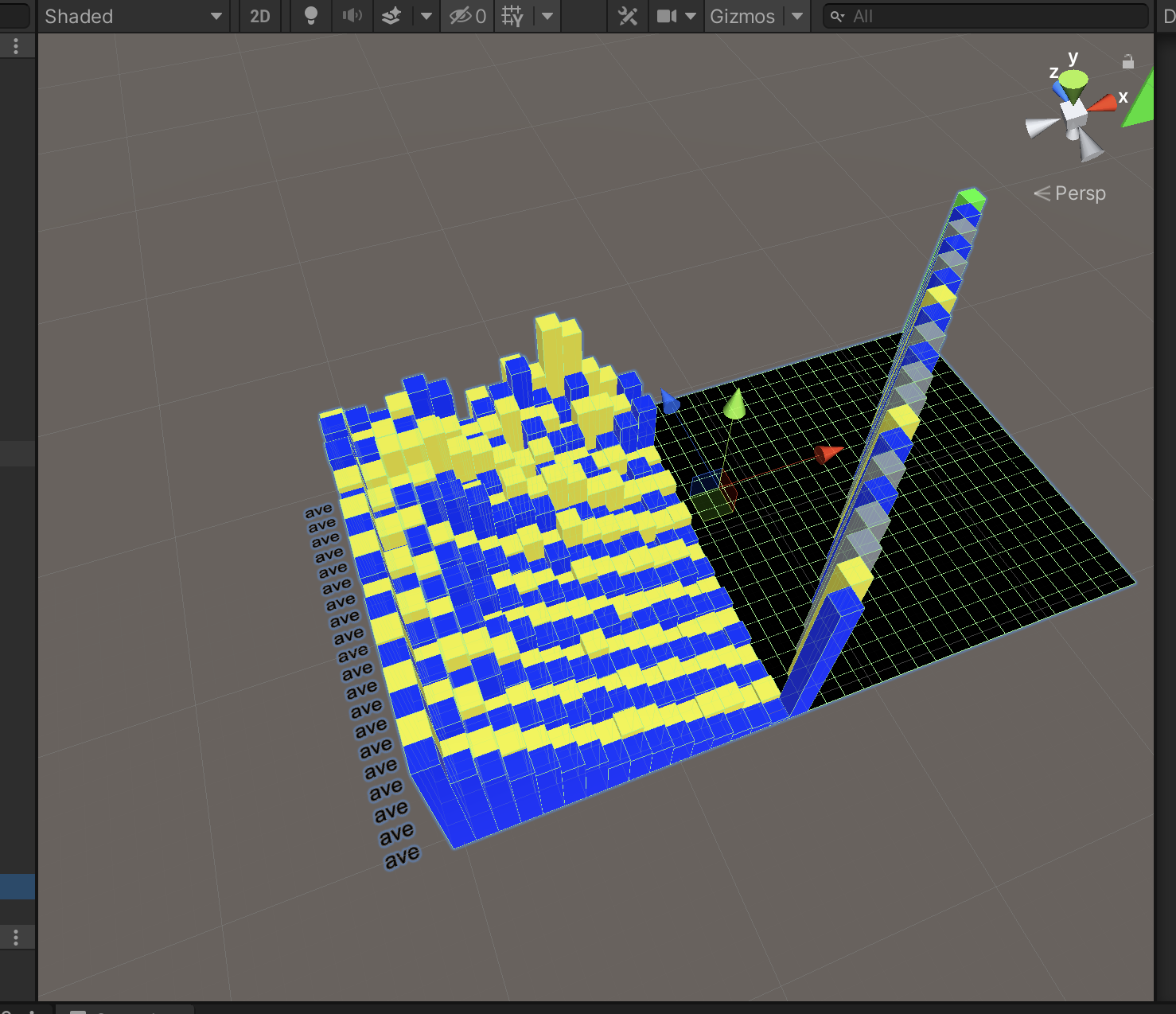
Here is an image of a one hot data set. Each horizontal line represents a data sample. Each sample contains an id, a phoneme, spectrum and blend shape values stored as color values.
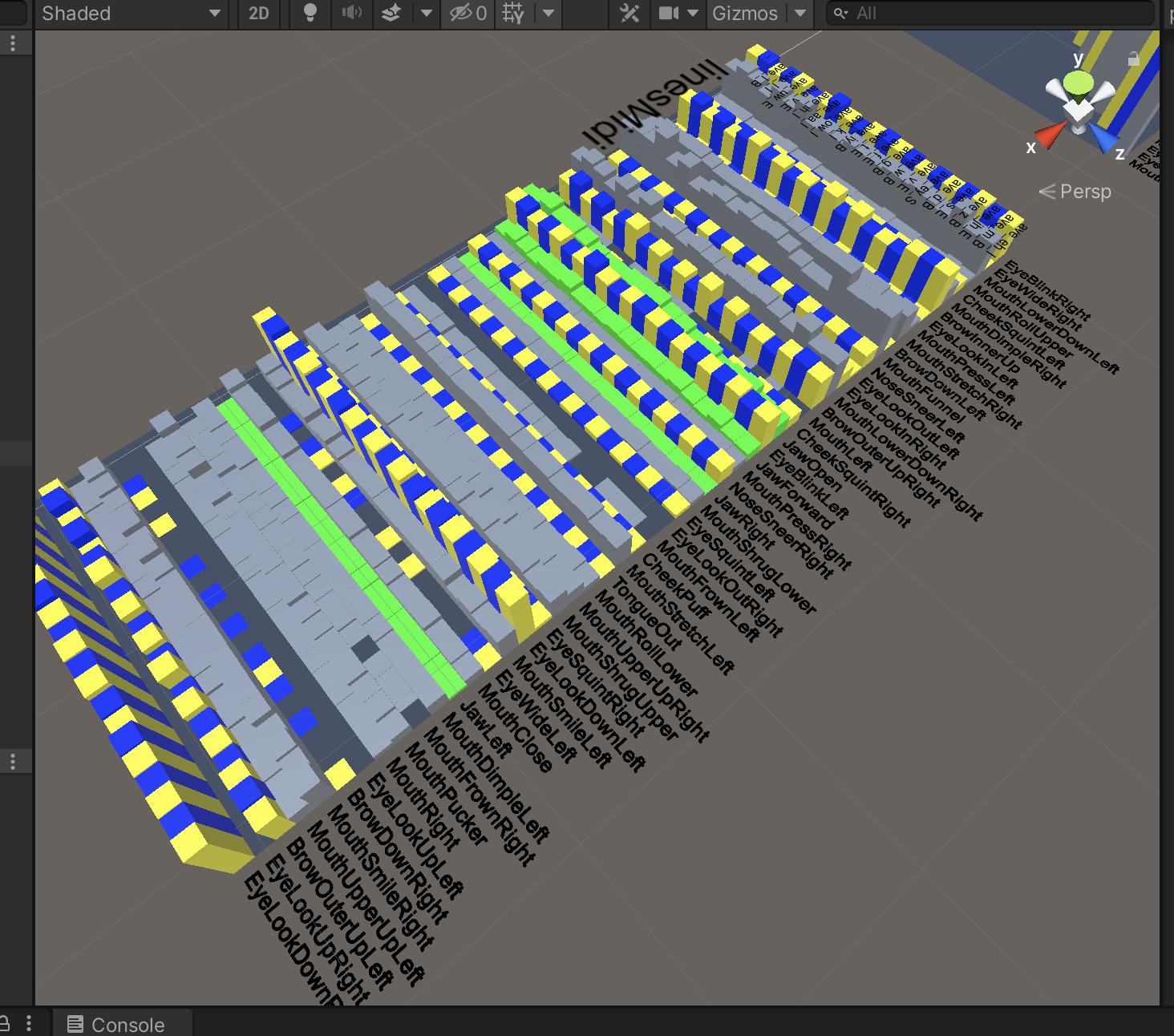
Historical data gathered by the previous prototype is sorted by phoneme. The median of spectrum values and blend shape values are calculated for each phoneme group.
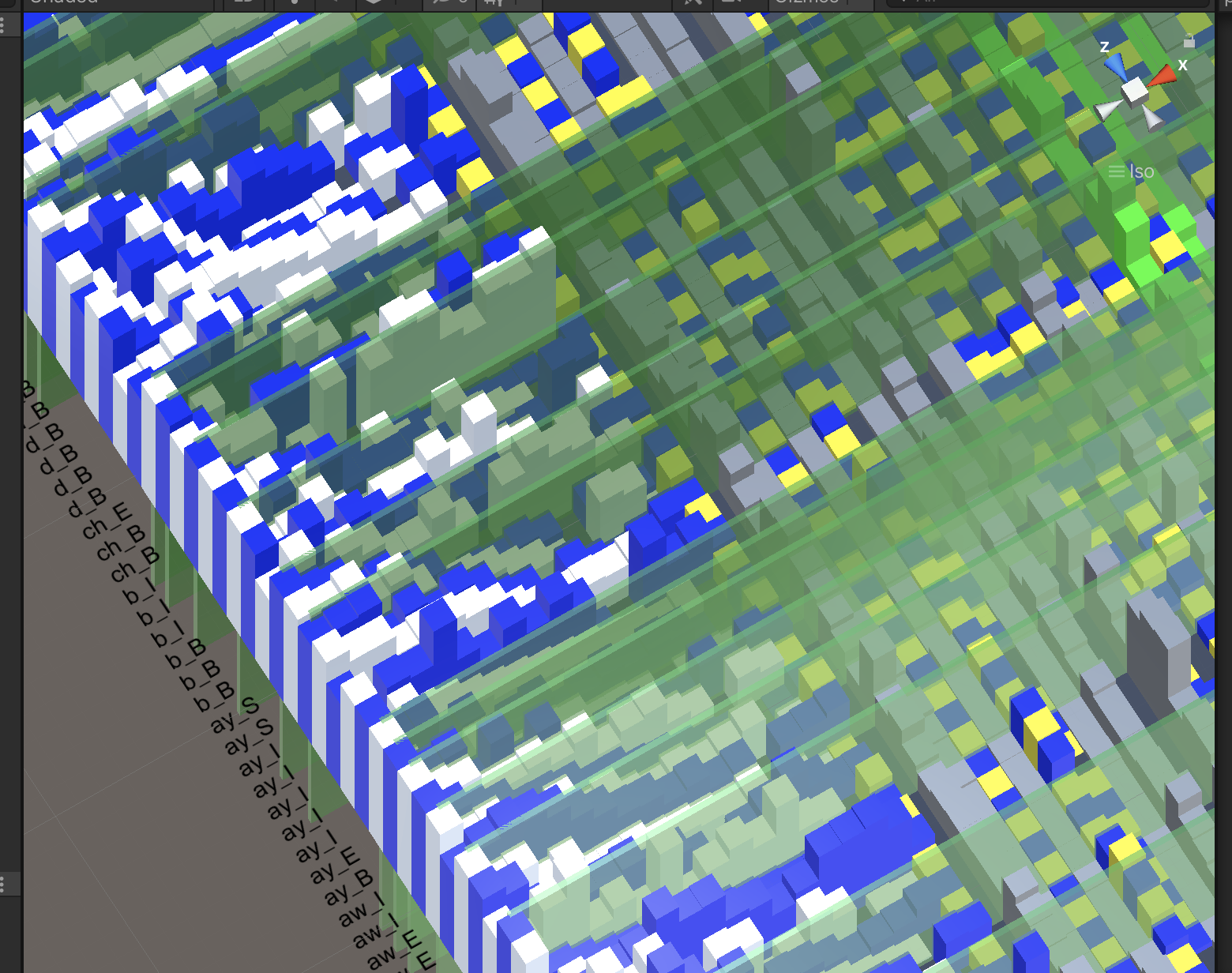
The result is a unique list of phoneme samples with median spectrum and blend shape data. Blend shape data is extracted as a look up table, with the one hot outputs as the index.
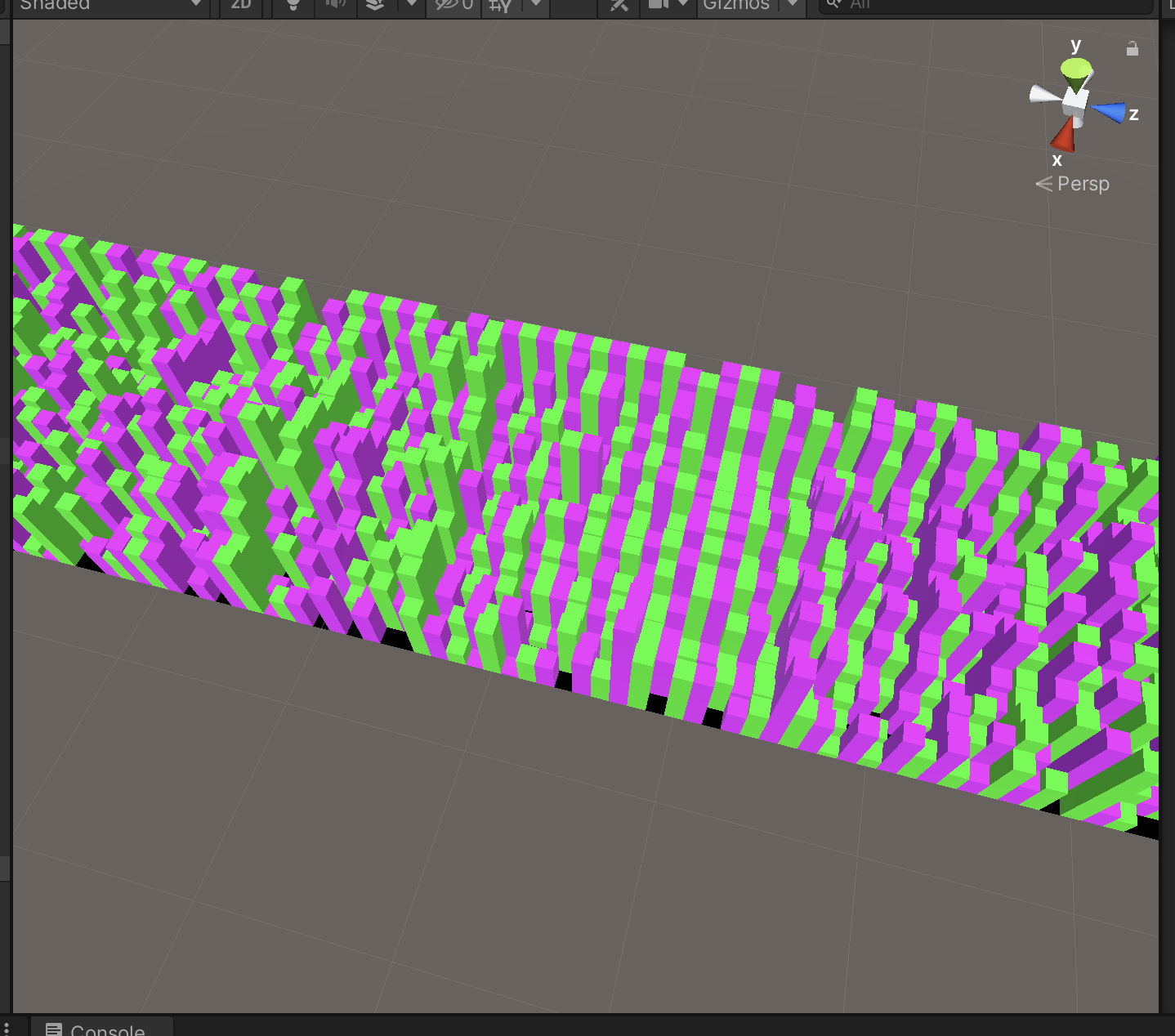
One Hot Encoding
One hot values (each choice has a value, only one choice is 1, the rest are zeros) are assigned to each unique phoneme sample.
One Hot and Midi Blend Shapes
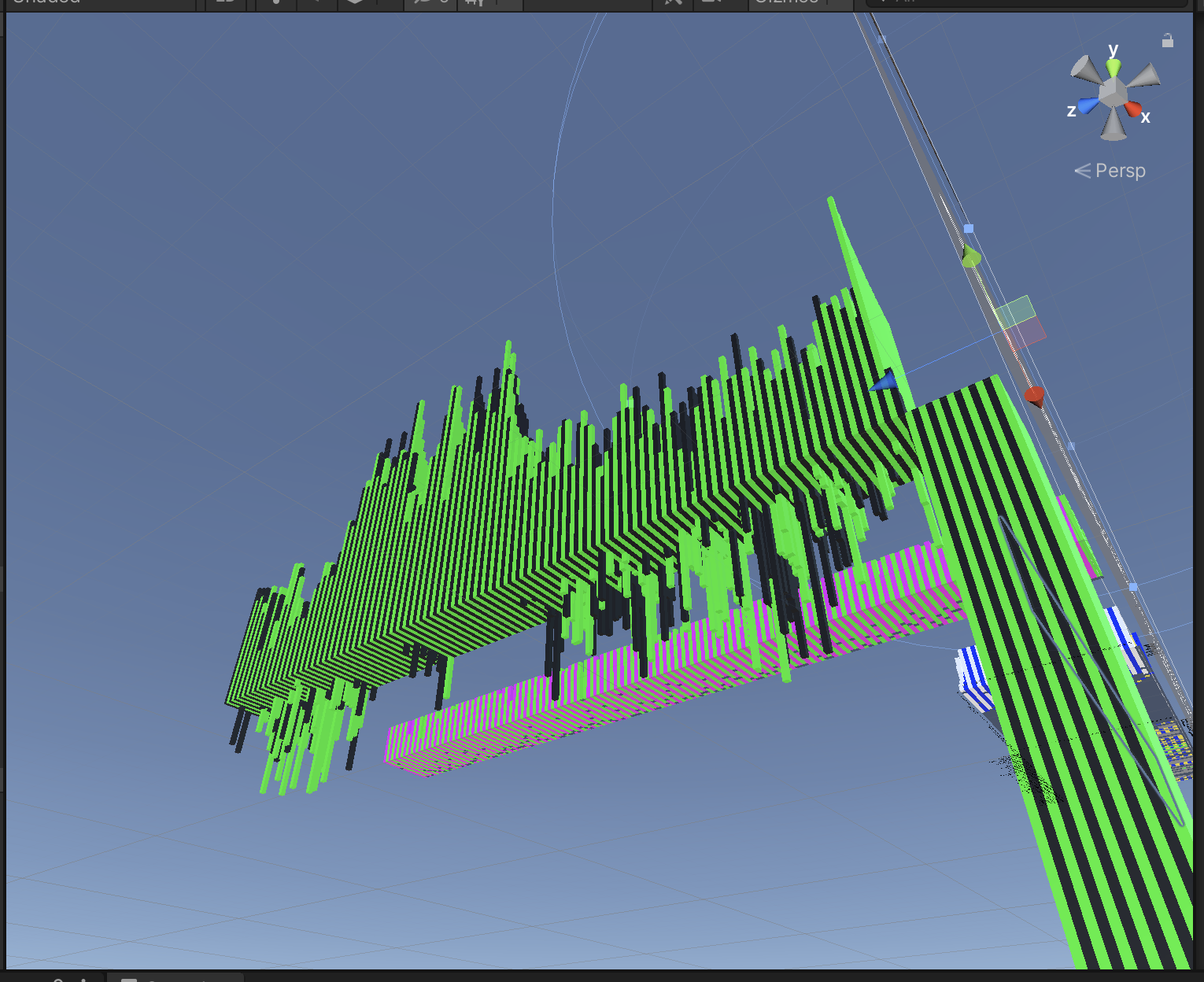
On the left, is a 3D representation of the one hot data set, generated from the file txtAll.txt. On the right, is the midi style blend shape look up table, saved as txtAll_Midi_BlendShapes.txt.
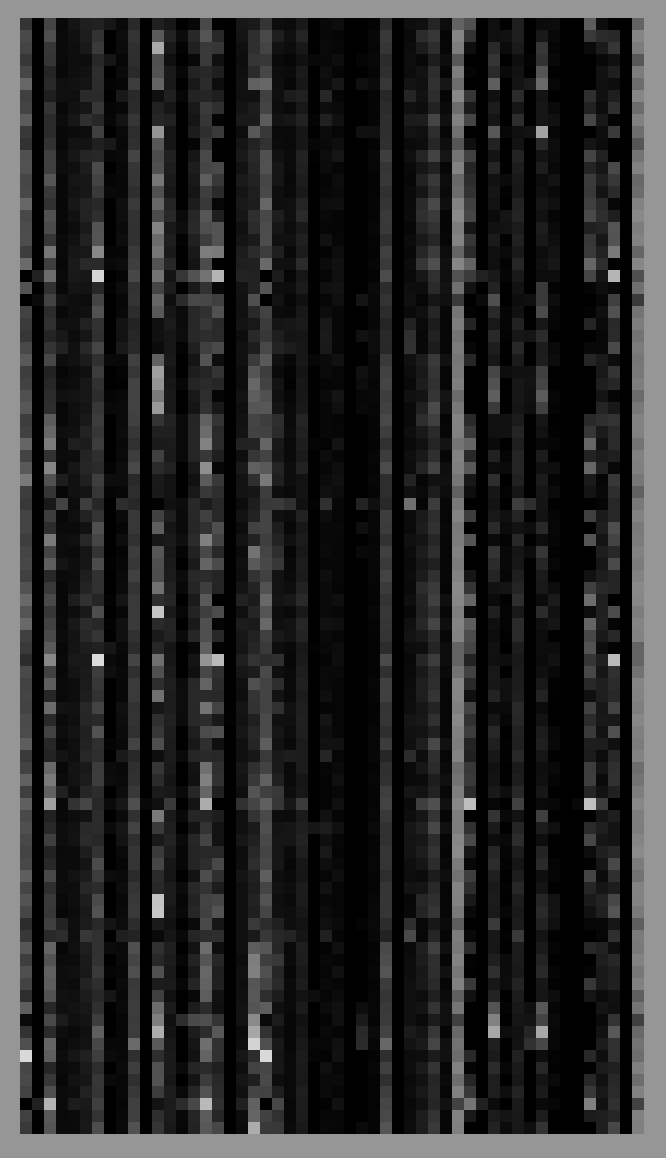
The data in txtAll.txt is saved as an image, texFFT_train.png, for neural network processing. The neural network uses an image for input. This is a very efficient way to store data.
MNIST Data Set
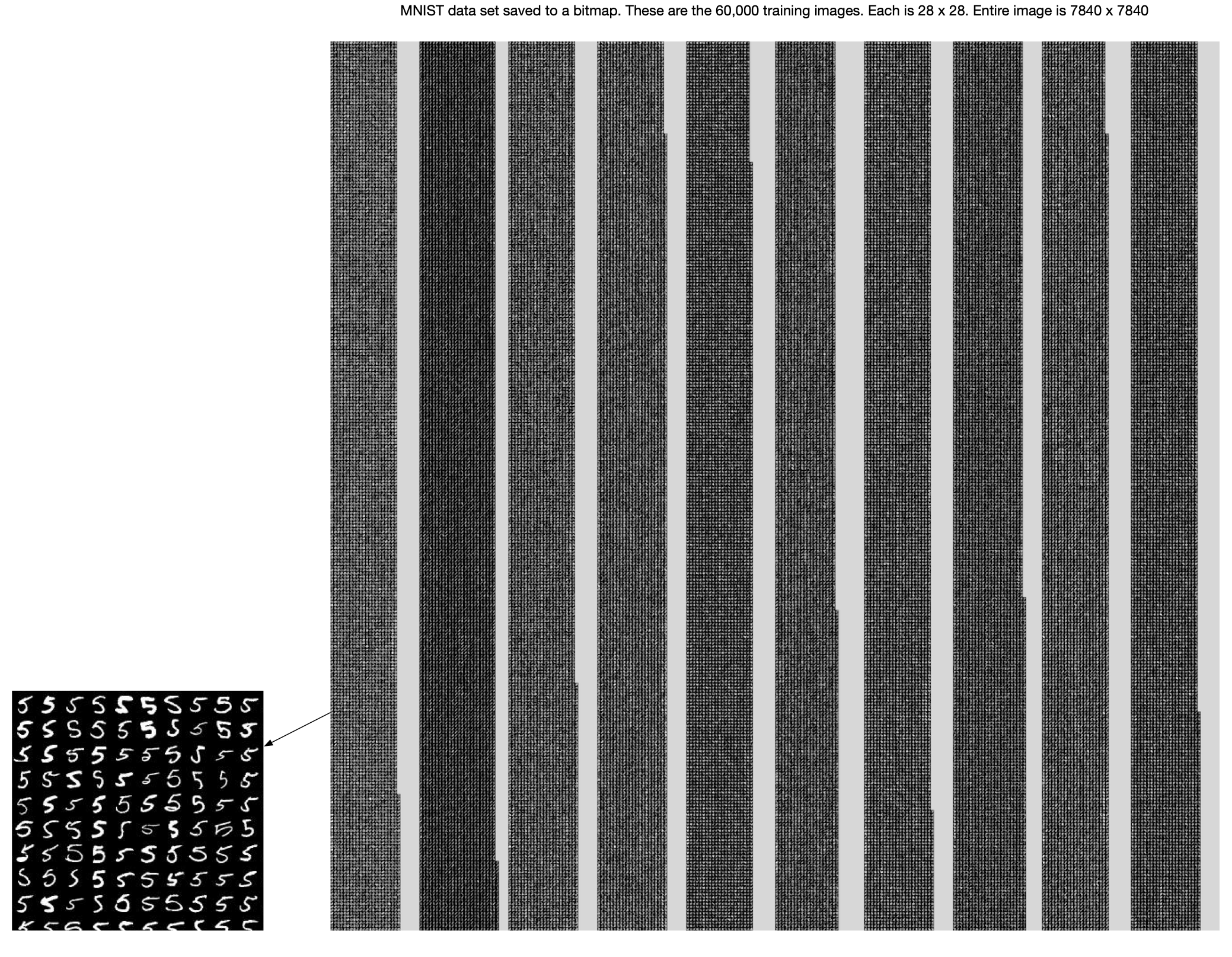
The MNIST data set with 60,000+ images is stored in one image. This speeds up calculations, and provides visual feedback.
Simple Binary Data Set
A simple exercise during neural network development is to have the neural network learn base 2 numbering using a few bits. This is the basis for the one hot spectrum lookup concept.

Video: Fly By 3D
Here is a video of the a fly by spectrum and blend shape data, scrolling thru phonemes.
Video: First Light
Here is a video of the first reasonable results, from an audio file. (The mobile app is real time, using the device microphone).